Five complete graphic designs made with F1 Tools
Five real graphics built end-to-end with Breaking News, Race Winner, Starting Grid, and Stewards Notice — including sizes and what I changed along the way.
Abstract feature lists do not help as much as finished examples. Here are five graphics I actually built with F1 Tools, with the settings that mattered — and the exported PNGs.
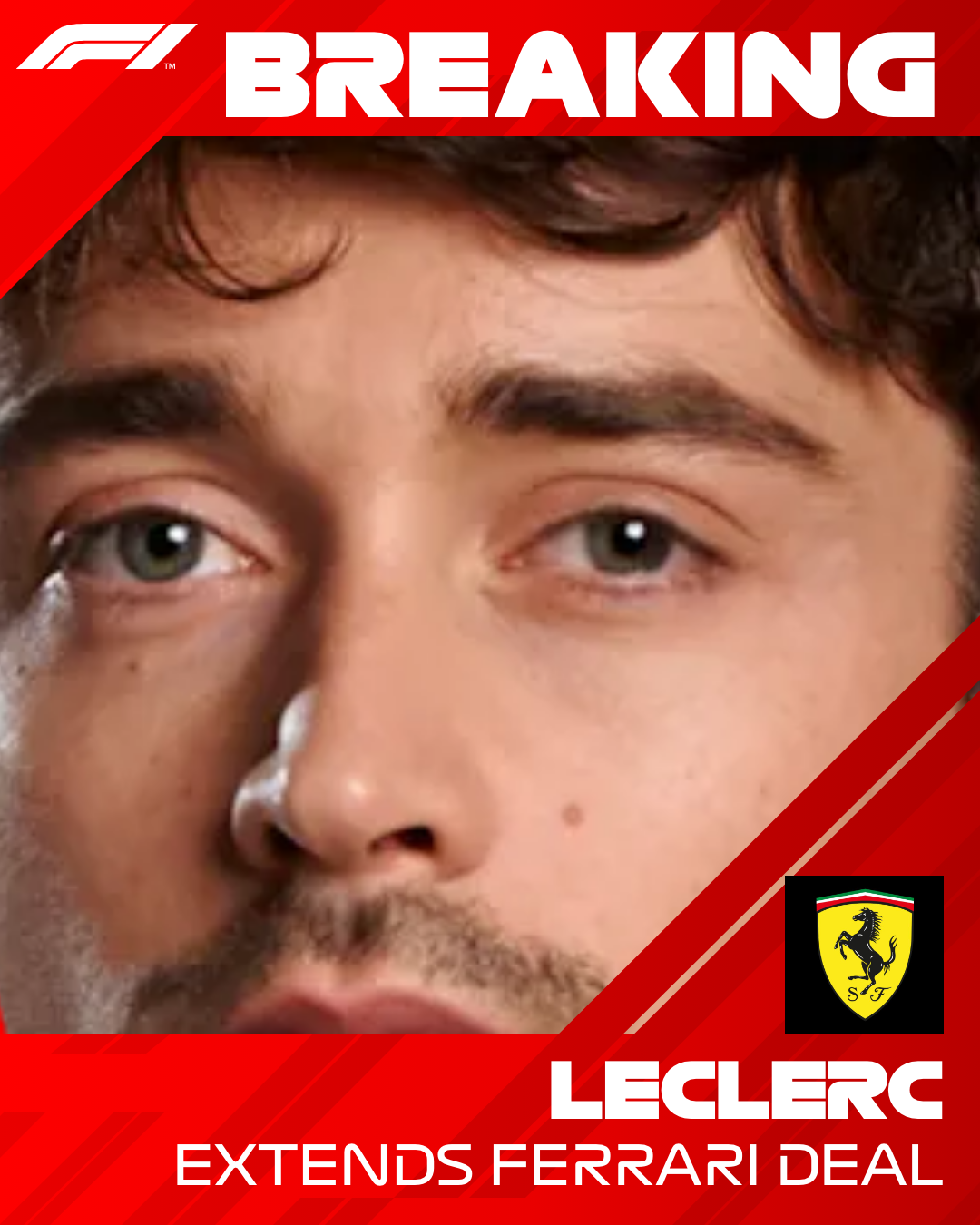
1. Contract extension — Breaking News
- Tool: /create
- Preset: Ferrari
- Export: 1080 × 1350 PNG
- Photo: Cutout headshot, zoomed tight on the face
Headline stayed to a surname. Subtitle carried the news line. Light text on red. This is the fastest path from idea to post — under two minutes once the PNG cutout exists.
2. Race win poster — Race Winner
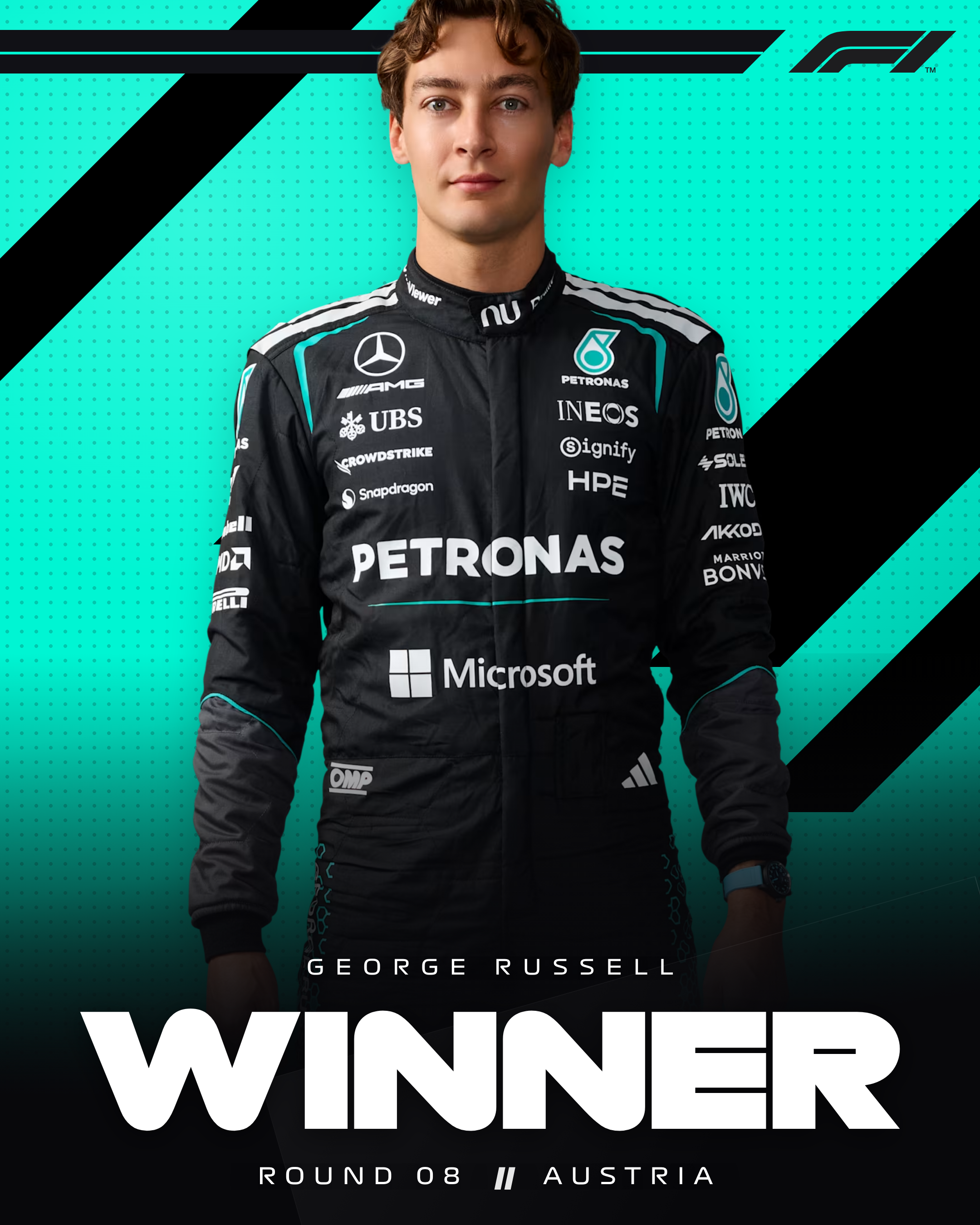
- Tool: /winner
- Preset: Mercedes
- Pose: Front
- Export: 2160 × 2700 PNG
I used the built-in George Russell front pose, set the event line to the round name, and exported at 2×. On Instagram the extra pixels survived compression better than a 1× export I tried earlier from a screenshot.
3. Qualifying grid carousel — Starting Grid
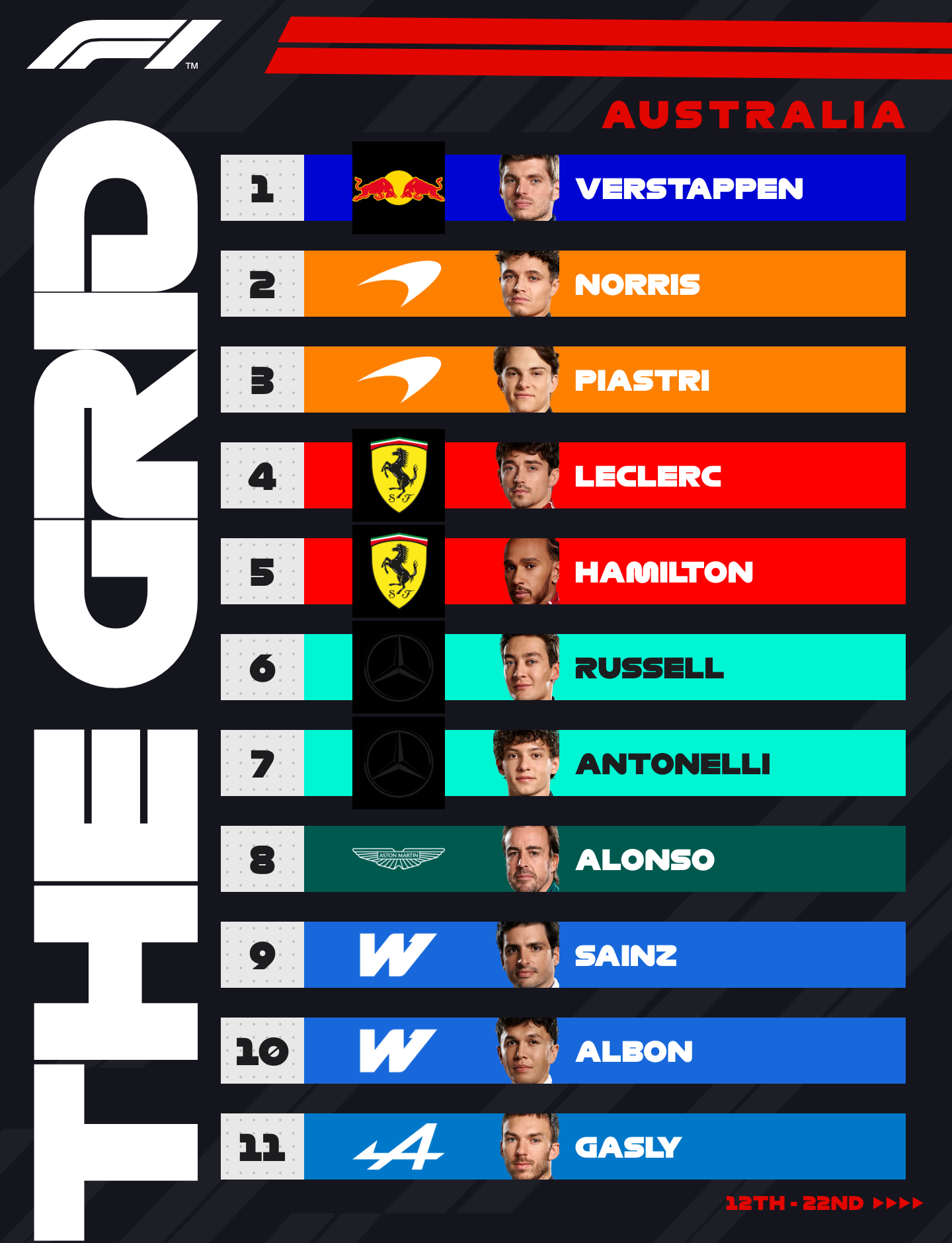
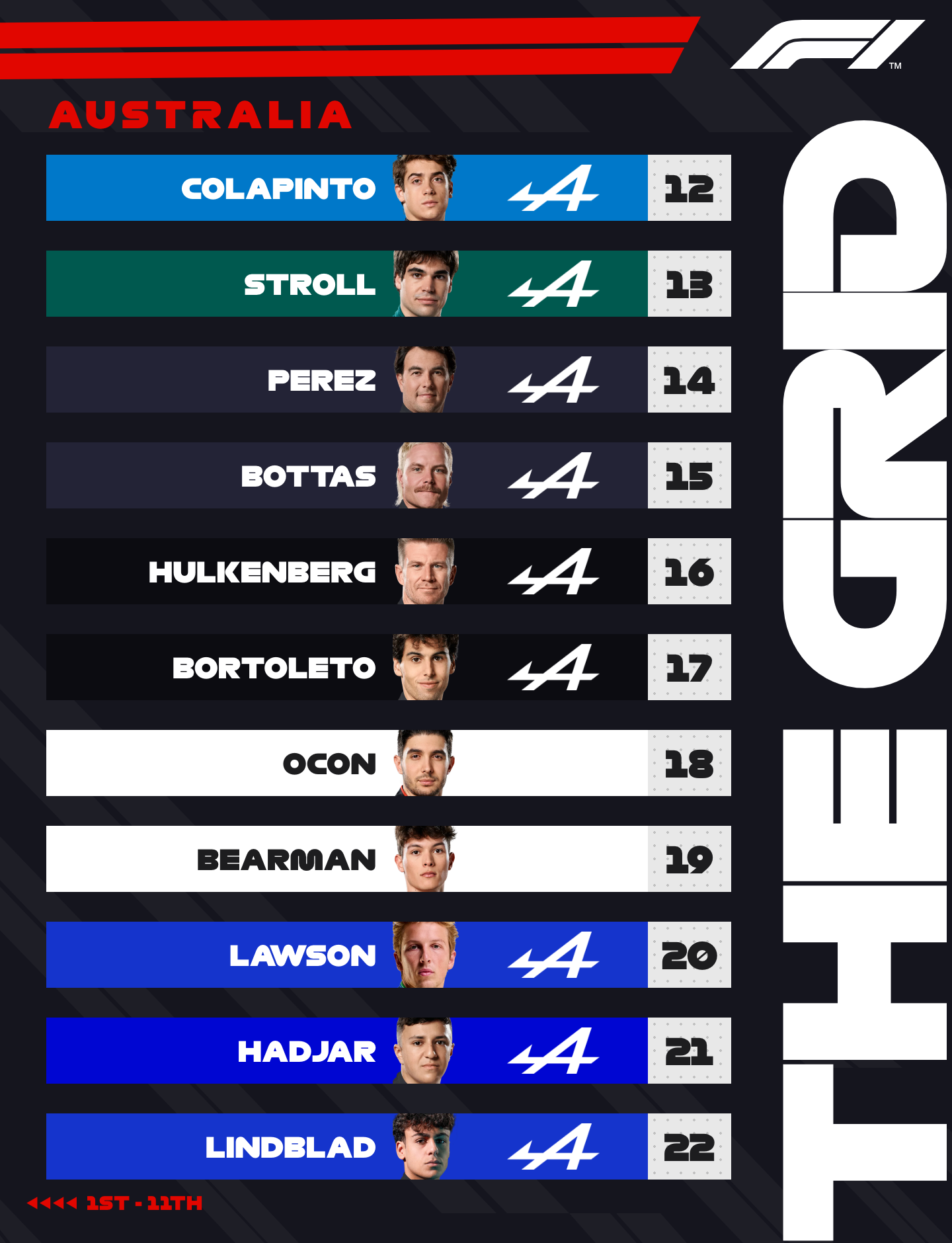
- Tool: /grid
- Export: 2 × 1440 × 1880 PNG
- Post: Instagram carousel
Reordered by dragging after Q3, fixed one reserve driver name, exported both pages, uploaded in order. Caption told people to swipe for P12–P22. Full notes: Creating an Instagram F1 starting-grid carousel.
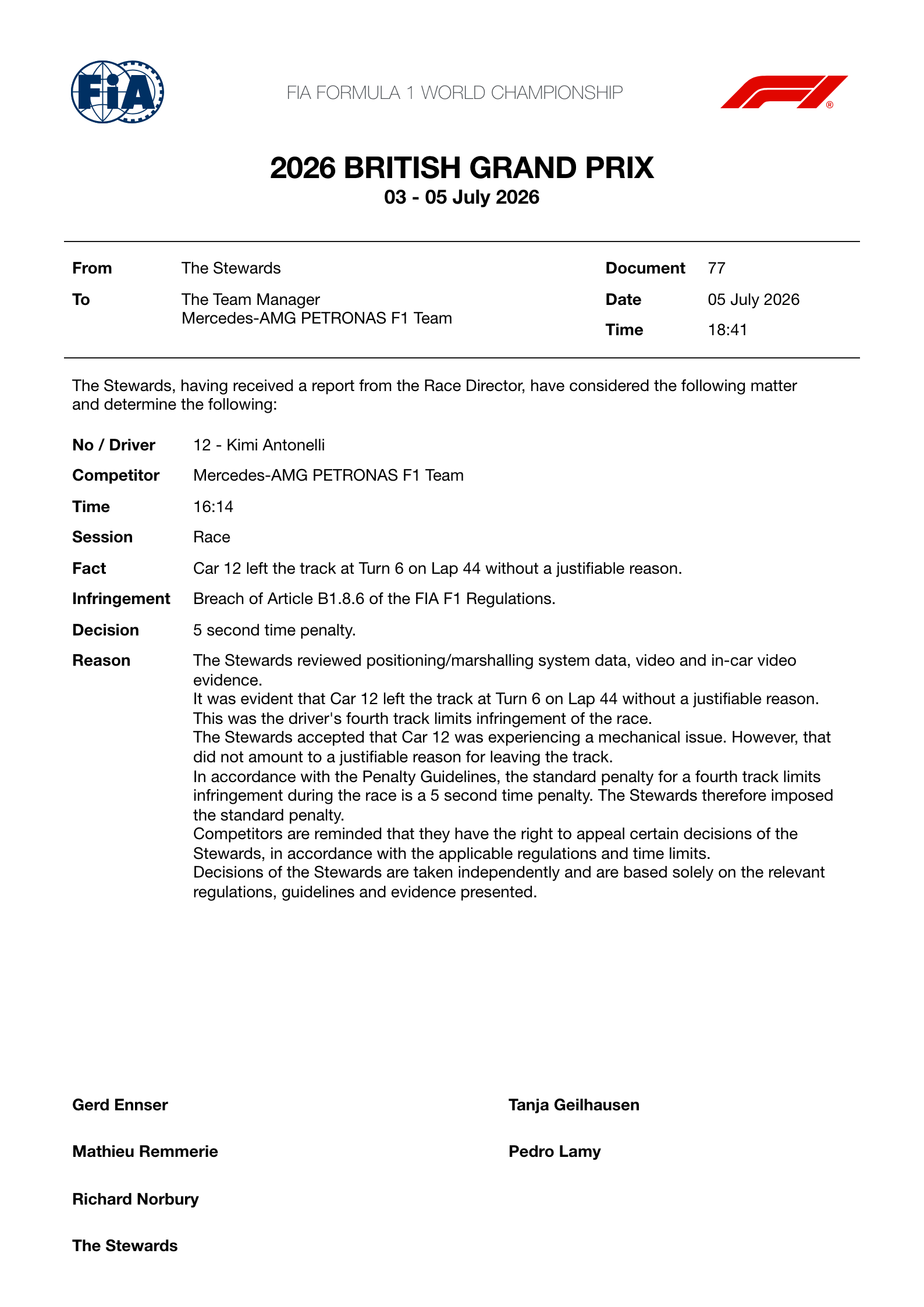
4. Parody stewards document — Stewards Notice
- Tool: /notices
- Export: 1588 × 2246 PNG (also available as A4 PDF)
Filled event, article reference, and a short decision paragraph. The PDF is the better archive; the PNG is the better meme for Discord.
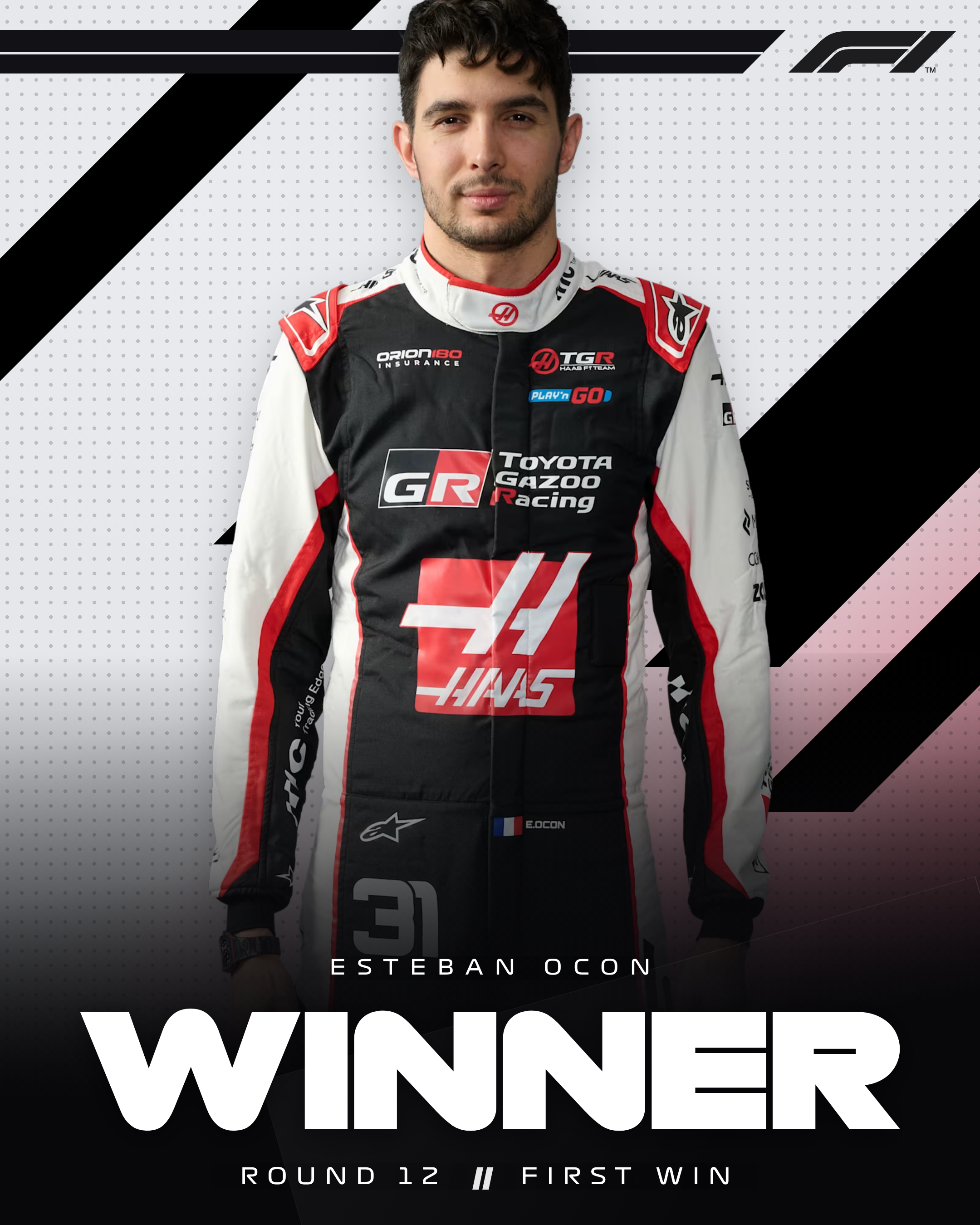
5. Midfield “what if” winner — Race Winner again
- Preset: Haas
- Pose: Front (Esteban Ocon)
- Copy: Fake “first win” event line
- Export: 2160 × 2700 PNG
Same tool as example 2, different team colour field. Useful check that presets are not just red / silver / papaya — the Haas treatment still reads as intentional.
Shared observations
| Pattern | Takeaway |
|---|---|
| Cutouts beat full JPEGs | Especially on Breaking News and Winner |
| Match tool to format | Do not force a grid into a single square |
| Export, do not screenshot | Screenshots are display-sized and soft |
| Keep copy short | Mobile timelines punish paragraphs on posters |
For the permanent how-to, use the Guide. For why exports never leave your laptop, see How exports are generated locally.
Related Tutorials
July 14, 2026
How to remove the background from a driver photo
Practical ways to cut out an F1 driver photo before dropping it into Breaking News or Race Winner — including what looks good on team colour gradients.
July 12, 2026
How team-colour presets work
What F1 Tools team presets actually change — gradients, logos, accents — and why they keep graphics looking like Formula 1 instead of generic posters.
July 18, 2026
How I recreated an F1 broadcast graphic in the browser
A walkthrough of rebuilding a Formula 1 breaking-news card with the F1 Tools editor — team presets, photo framing, and a 1080×1350 PNG export.