How to remove the background from a driver photo
Practical ways to cut out an F1 driver photo before dropping it into Breaking News or Race Winner — including what looks good on team colour gradients.
The Breaking News and Race Winner tools look best when the driver is a cutout, not a rectangle of paddock backdrop. Here is the workflow I use before uploading.
Why backgrounds fight the template
Both generators paint a strong team colour field behind the subject. A photo that still has a grey garage wall creates a second frame inside the poster. Broadcast graphics almost never do that — the person sits in the colour.

Option A — Quick remove (good enough for social)
- Open the photo in remove.bg, Photopea, or the cutout tool in your phone’s photos app.
- Export a PNG with transparency.
- Upload into F1 Tools and zoom until the helmet fills the hero zone.
This is fine for memes and same-day posts. Edges can look a bit soft; on Instagram compression you rarely notice.
Option B — Manual refine (when the graphic matters)
- Rough cut in any editor that supports layers.
- Clean the halo around the halo / visor — red and papaya backgrounds make white fringing obvious.
- Soften only the hair / suit edge; keep the helmet line hard.
- Export PNG, sRGB.
I spend the extra five minutes for winner posters and transfer announcements. I skip it for Discord jokes.
Option C — Use the built-in pose packs
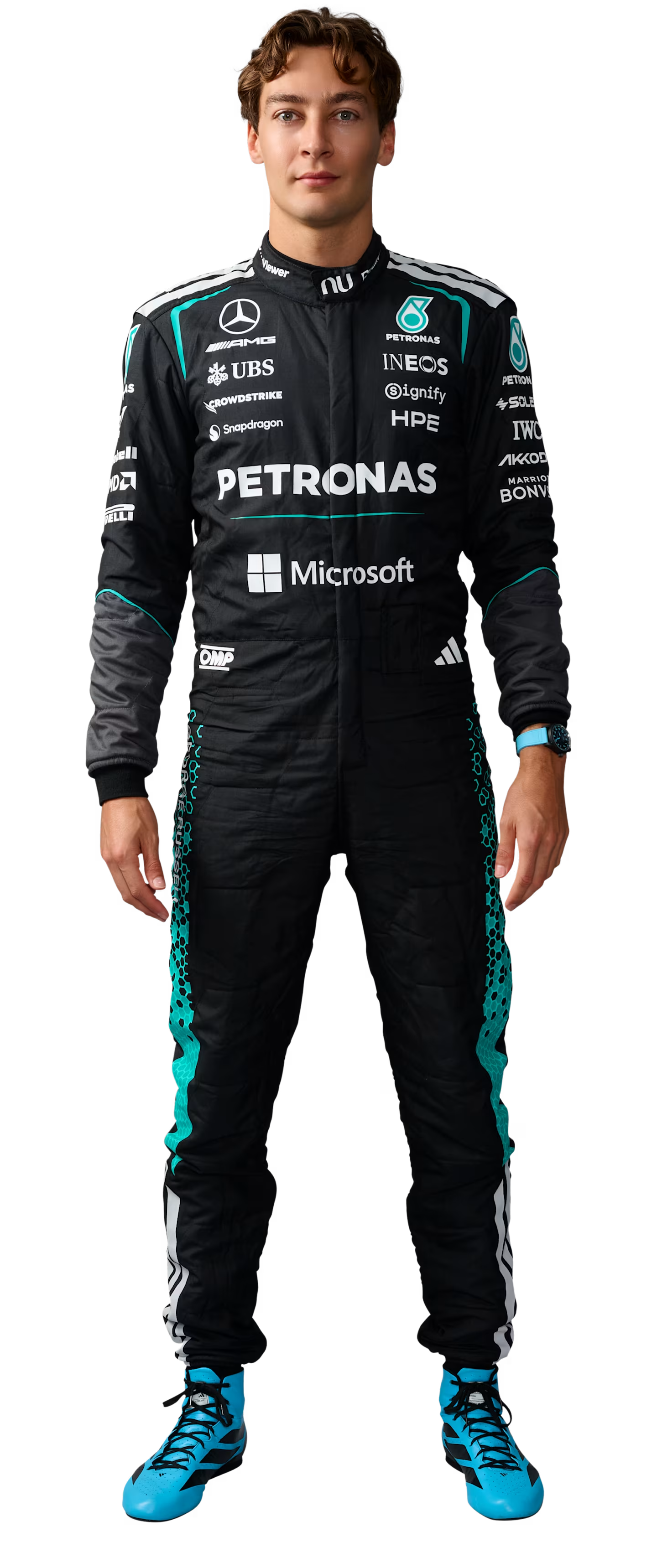
Race Winner already includes front / left / right artwork for many 2026 drivers, stored as WebP cutouts. If the driver you need is there, you can skip sourcing entirely:
Framing tips after upload
- Breaking News: keep the face above the lower geometric bars; leave room for the headline.
- Race Winner: scale so boots or knees are not clipped oddly by the colour blocks; the poster is designed around a standing figure.
- Avoid uploading a cutout that still has a drop shadow baked in — it doubles up with the tool’s own depth.
Test I ran
Same Ferrari breaking card, three sources:
| Source | Look on mobile |
|---|---|
| Full JPEG with garage behind | Messy; gradient wasted |
| Auto remove.bg PNG | Clean; slight hair fringing |
| Manual PNG | Cleanest; worth it for the “main” post |
If you only remember one thing: transparent PNG in, PNG out. More on formats in PNG versus WebP for motorsport social graphics.
Related Tutorials
July 15, 2026
PNG versus WebP for motorsport social graphics
When to upload PNG cutouts into F1 Tools, when WebP is fine, and what Instagram actually does to your export.
July 13, 2026
Five complete graphic designs made with F1 Tools
Five real graphics built end-to-end with Breaking News, Race Winner, Starting Grid, and Stewards Notice — including sizes and what I changed along the way.
July 18, 2026
How I recreated an F1 broadcast graphic in the browser
A walkthrough of rebuilding a Formula 1 breaking-news card with the F1 Tools editor — team presets, photo framing, and a 1080×1350 PNG export.