How the starting-grid generator automatically lays out 22 drivers
Inside the F1 Tools starting grid: staggered rows, team colours, 22 slots, and a two-page 1440×1880 export built for Instagram carousels.
A full Formula 1 grid is awkward to design by hand. Twenty-two names, numbers, team colours, and photos — and it still has to look balanced on a phone. The Starting Grid generator exists so you do not rebuild that layout every Saturday.
What “automatic layout” means here
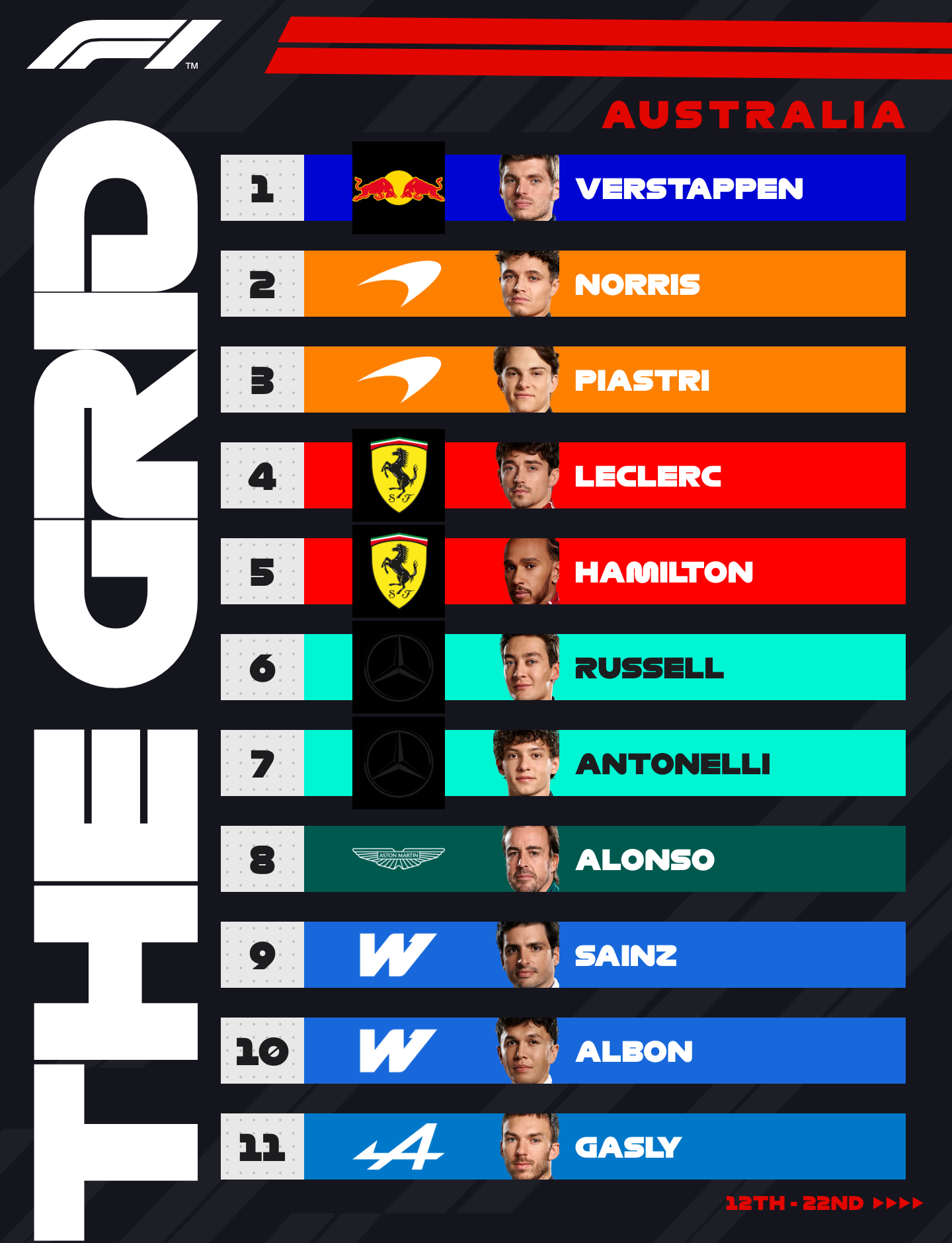
When you open /grid, you already have 22 driver slots. You are not placing rectangles on a blank artboard. You are editing a pre-built race graphic:
- Odd and even positions sit on staggered columns (the classic “grid stagger”)
- Each row carries a team colour accent, number, name, and headshot
- Race title and location sit in the header shared by both pages
Reorder by dragging. Change a name or team and the colour accent updates with the driver.
Why two pages instead of one tall image
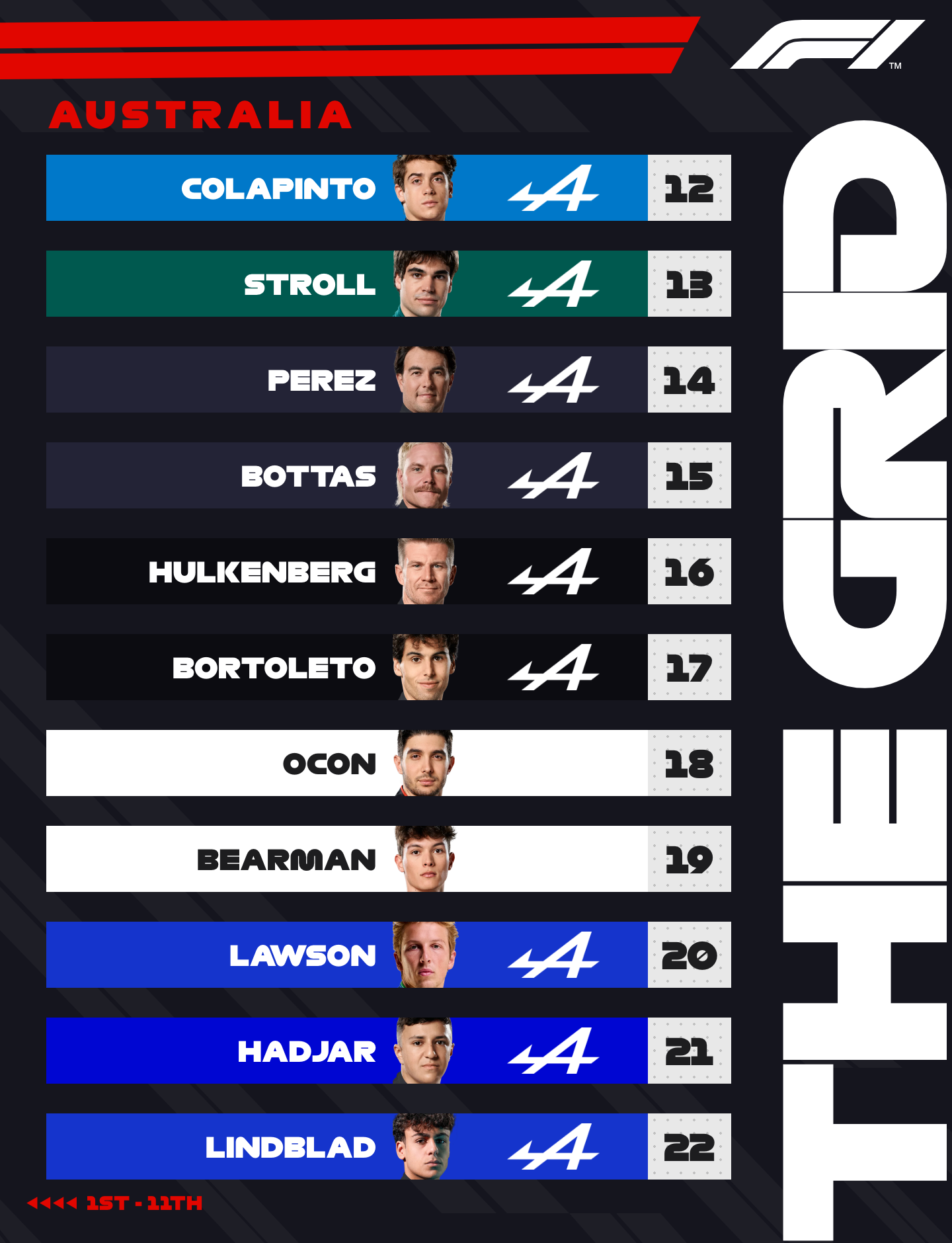
Instagram carousels reward consistent frame sizes. A single 22-driver poster either becomes unreadably small or gets crushed by the crop. The tool therefore splits the field:
| Page | Positions | Export |
|---|---|---|
| 1 | P1–P11 | 1440 × 1880 PNG |
| 2 | P12–P22 | 1440 × 1880 PNG |
Both pages share the same canvas size, header treatment, and visual language, so the swipe feels like one graphic, not two unrelated images.
Observations from building real grids
After laying out several 2026 grids (Bahrain through mid-season):
- Headshot consistency matters more than absolute resolution. Mixed crops (some faces huge, some tiny) look worse than slightly softer but evenly framed photos.
- Team colour bars do a lot of work. Even without reading the logo, you can scan Ferrari / McLaren / Mercedes rows quickly.
- Dragging is faster than typing positions. I usually sort roughly by hand, then fix the two or three names that swapped in the chaos of a wet quali.
What you still edit manually
Automation stops at layout. You still set:
- Race name and location in the header
- Any mid-weekend driver changes (reserve, illness, penalty drops)
- Custom photos if you prefer a different angle than the defaults
Then export both pages in one action. For the Instagram posting flow specifically, see Creating an Instagram F1 starting-grid carousel.
Related Tutorials
October 8, 2026
Verstappen wins rain-hit Bahrain GP in Malaysia as Russell's late failure extends Antonelli's lead
Max Verstappen won the Gulf Air Bahrain Grand Prix at Sepang on 4 October 2026. Russell's retirement pushed Antonelli's championship lead to 84 points.
July 16, 2026
Creating an Instagram F1 starting-grid carousel
How to export both F1 Tools grid pages and post them as a single Instagram carousel without awkward crops or mismatched sizes.
July 18, 2026
How I recreated an F1 broadcast graphic in the browser
A walkthrough of rebuilding a Formula 1 breaking-news card with the F1 Tools editor — team presets, photo framing, and a 1080×1350 PNG export.